Hello,
I’m in the middle of migrating Linear to Plane using Python and your API. I have a certain issue when creating a project and linking it to a Teamspace. How to produce it:
- Create a Project through API. This is what my Python hit.
curl -X POST ‘https://api.plane.so/api/v1/workspaces/xxxxxx/projects/’ -H ‘X-API-Key: <plane_api_xxxxxxxxxxxxxxxxxxxxxxxxx>’ -H ‘Content-Type: application/json’ -d ‘{“name”: “Linear To Plane.so Migration”, “identifier”: “LTPM”, “description”: “”, “cover_image_url”: “/assets/image_14-BGta73kB.jpg”, “network”: 2, “state_id”: “ac18c88f-0f92-432b-81aa-9db608ba7a9d”, “priority”: “none”}’ - Link the project using UI, choose a team, and click the “Update Project” button.
In the teamspace detail, it is shown that 1 project is linked
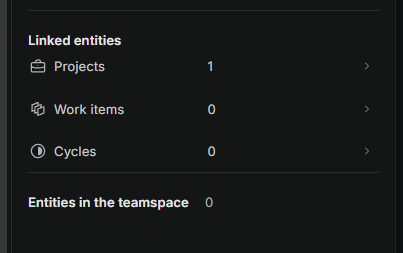
But in the project list, nothing is shown.
<can’t put extra media>
Another thing that I also notice is that the project “state” and “priority” are null and can’t be updated.
<can’t put extra media>
I also check the payload request when creating a project via UI does not contain “state” and “priority,” yet it will set the state as “draft” and priority as “none” if it created via UI.
any insight ?